Quick replies for WhatsApp Web, shared with your team
Save the answers you send every day and insert them in one click, with the customer’s details filled in.
 Add to Chrome
Insert in one click
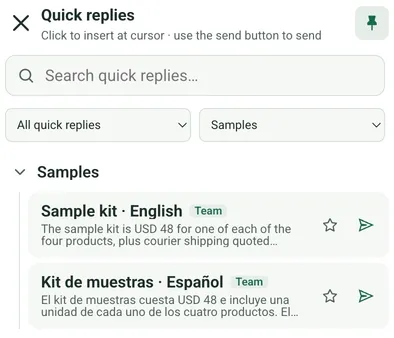
Open Quick replies next to the message box, search, and click one to put it at the cursor. Check it, then send.
Variables and files
Add the customer’s name, phone number or company as variables, and attach images, videos, audio or documents. Quick replies work in broadcasts too.
Personal or team
Owners and Admins keep personal quick replies for themselves or share team quick replies with everyone in the workspace, and manage them in Console with categories, search and favorites. Members use team quick replies in WhatsApp Web.
Good to know
Free includes 10 quick replies per workspace; Pro and Team have no limit on the number. Quick replies are not WhatsApp Business Platform message templates.
Plans
Compare plans| Free1 seat · Owner only | Pro1 seat · Owner only | TeamFrom 3 seats, including the Owner | |
|---|---|---|---|
| Quick replies | 10 | No reply count limit | No reply count limit |